
XML Sitemap and Robots.txt Best Practices: Getting the Basics Right in 2026
Last updated: July 22, 2026 · By Joseph Olivas, Founder, MEAN Consultors · 8 min read
These are the two smallest files on your website and two of the most consequential. I’ve audited sites where a single stray line in robots.txt was blocking the entire blog from Google, and others where a bloated sitemap full of dead URLs was actively confusing the crawler. Neither problem is glamorous, and neither shows up in a design review—but both quietly cap how much of your site ever ranks. Here’s how to get both right in 2026.
What each file actually does
An XML sitemap is a machine-readable list of the URLs you want search engines to know about, along with optional signals like when each page was last modified. It doesn’t force indexing—Google decides that—but it’s how you make sure nothing important gets missed, especially on large sites or pages with few internal links pointing to them. Robots.txt is the opposite tool: a plain-text file at the root of your domain that tells crawlers which paths to avoid. It’s a crawling directive, not an indexing one—an important distinction I’ll come back to. Both are foundational parts of any search engine optimization program, and both belong on every technical audit.
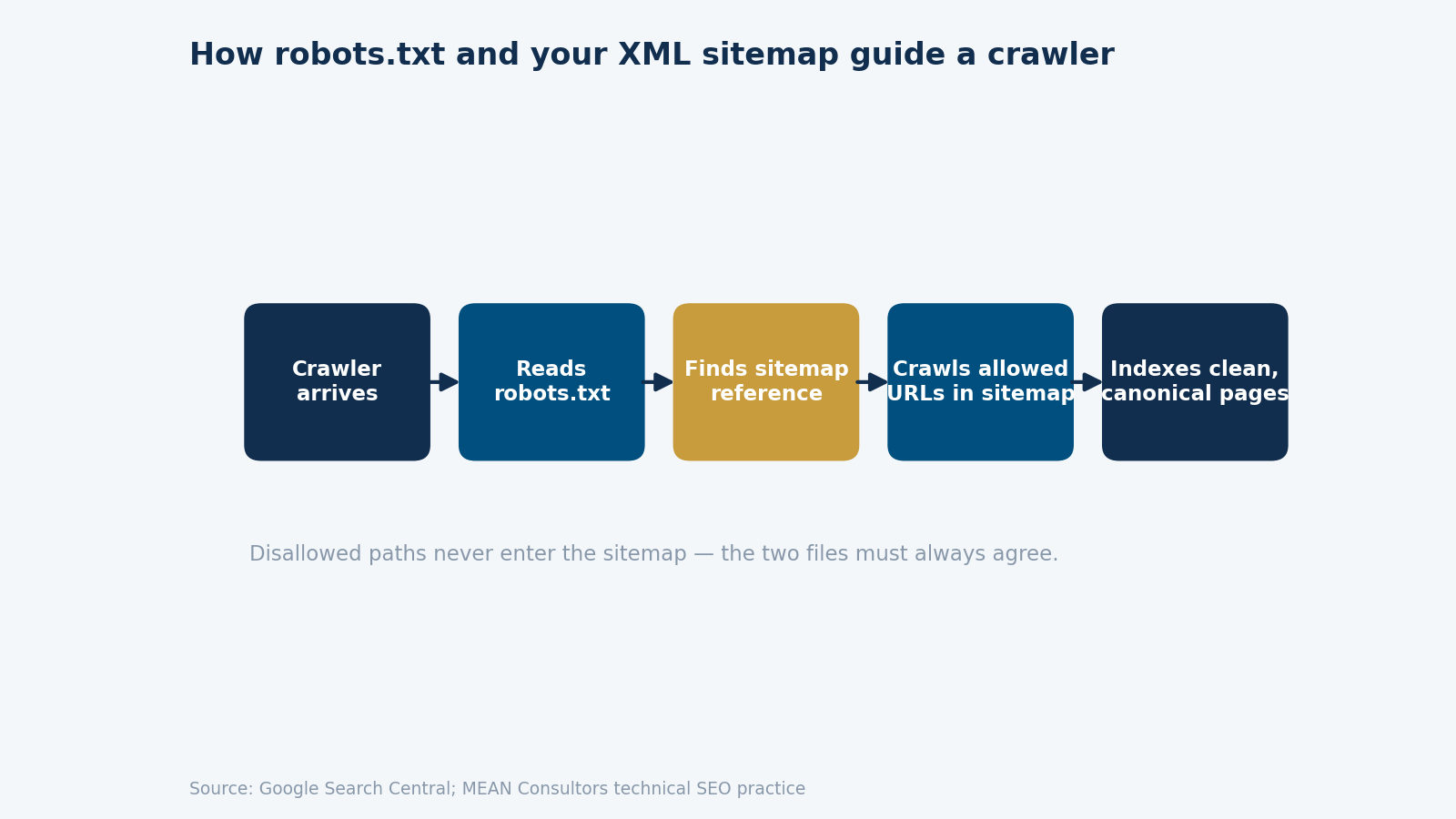
Figure 1: How robots.txt and your XML sitemap work together to guide a search-engine crawler through your site.
The hard limits you must respect
Google enforces firm technical limits on both files, and exceeding them causes silent failures. A single sitemap file can contain no more than 50,000 URLs and must stay under 50 MB uncompressed; beyond that you split into multiple sitemaps referenced by a sitemap index file. Robots.txt has its own ceiling: Google only processes the first 500 kibibytes (about 512,000 bytes) of the file, and anything past that is ignored—which can matter on sites that programmatically generate enormous robots files.
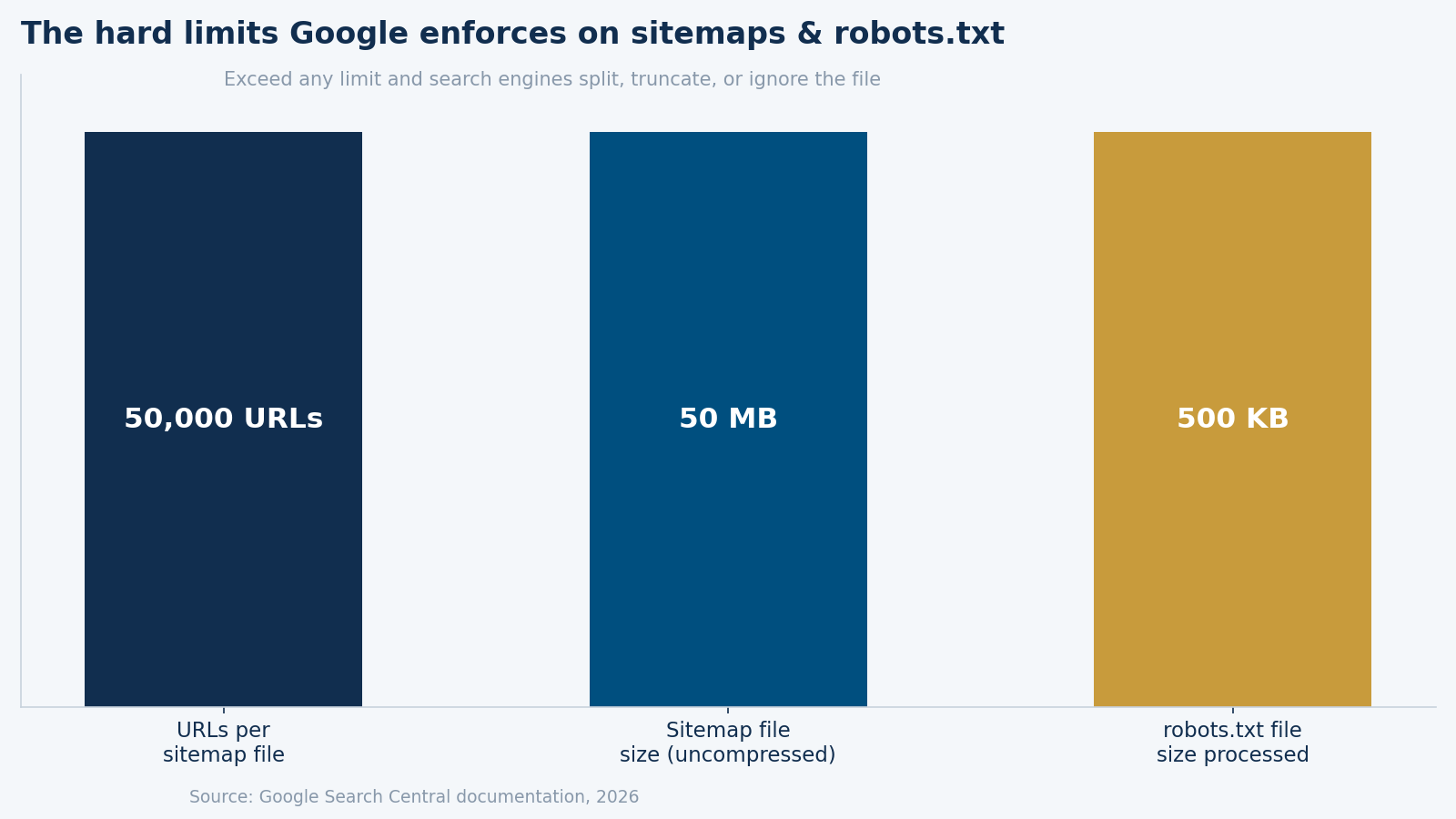
Figure 2: The hard limits Google enforces. Exceed any of them and search engines split, truncate, or ignore the file.
- 50,000 URLs and 50 MB is the per-file sitemap ceiling—use a sitemap index once you cross it.
- Google reads only the first 500 KB of robots.txt; keep the file lean and intentional.
- Reference your sitemap inside robots.txt so crawlers find it immediately.
XML sitemap best practices
A good sitemap is a curated guest list, not a phone book. The single most common mistake I fix is a sitemap stuffed with URLs that shouldn’t be there. Follow these rules and your sitemap sends clean, consistent signals.
- Include only the final, canonical version of each page—no tracking parameters, no session IDs, no duplicate variants.
- Never list
noindexpages, redirects, or URLs that return 4xx or 5xx errors. - Keep
lastmoddates accurate—faking freshness erodes the trust Google places in the signal. - Submit the sitemap in Google Search Console and Bing Webmaster Tools, and reference it in robots.txt.
- For large sites, split by content type (products, posts, categories) so you can diagnose indexing issues faster.
Robots.txt best practices (and traps)
The biggest robots.txt trap is using it to try to remove a page from Google. Blocking a URL in robots.txt only stops crawling—if other sites link to that page, Google can still index it, just without being able to read its content, producing an ugly “no information available” result. To keep a page out of the index, allow crawling and use a noindex meta tag instead. The second common trap is contradiction: listing a URL in your sitemap while blocking it in robots.txt. That’s a mixed signal that wastes crawl budget and confuses the crawler—the two files should never overlap.
| Goal | Right tool | Wrong tool |
|---|---|---|
| Stop a page from being crawled | robots.txt Disallow | noindex alone |
| Keep a page out of the index | noindex meta tag | robots.txt Disallow |
| Help crawlers find content | XML sitemap | robots.txt |
| Point crawlers to the sitemap | Sitemap line in robots.txt | — |
Where this fits in your SEO stack
Sitemaps and robots.txt are the entry point to technical SEO, not the whole of it. Once they’re clean, the next wins usually come from site speed, structured data, internal linking, and duplicate-content control. Our 40-point technical SEO audit checklist is the hub that ties all of these together, and if you run multiple locations, pair this with our guide to structuring location pages without duplicate content.
Common mistakes that quietly cost rankings
After auditing a lot of sites, I see the same handful of sitemap and robots errors again and again—none of them dramatic, all of them costly over time. The first is the “kitchen-sink” sitemap: an auto-generated file that dumps every URL on the site, including tag archives, paginated pages, and thin filter combinations. That doesn’t help you rank; it dilutes the signal about which pages actually matter. The fix is to configure your CMS or SEO plugin to include only meaningful, indexable content.
The second is stale directives left over from a site’s development phase. I’ve found live production sites still carrying a Disallow: / from their staging environment—a single forgotten line that tells Google to ignore the entire domain. It’s the SEO equivalent of leaving the parking brake on. The third is inconsistency between environments: a robots.txt that works on staging but points to the wrong sitemap URL in production, so search engines never find the current file. The lesson across all three is the same—these files are small enough to review in five minutes, so review them deliberately after every migration, redesign, or platform change rather than assuming they carried over correctly.
Frequently Asked Questions
Do I really need an XML sitemap if my site is small?
For a small, well-linked site Google will likely find everything anyway—but a sitemap is cheap insurance and helps search engines pick up new and updated pages faster. There’s no downside to having a clean one, and most modern CMS platforms generate it automatically. The key is making sure it only contains pages you actually want indexed.
Where should the sitemap and robots.txt files live?
Robots.txt must sit at the root of your domain (example.com/robots.txt)—that’s the only place crawlers look. Your sitemap can live anywhere, but it’s best practice to put it at a predictable path like example.com/sitemap.xml and to reference its full URL inside robots.txt with a Sitemap: line so engines find it immediately.
Can blocking a page in robots.txt hurt my SEO?
It can, if you block something important by accident. Because robots.txt uses path matching, a single overly broad rule can block far more than intended—I’ve seen a Disallow: /blog line unintentionally hide an entire content library. Always test changes in Google Search Console’s robots.txt tester before deploying, and never use a global Disallow: / on a live site.
How often should I update my sitemap?
Ideally your sitemap updates automatically whenever you publish or change a page—most CMS and SEO plugins handle this. Manual sitemaps go stale quickly and start listing dead URLs, which erodes their value. Set it and let it regenerate; just audit it periodically to confirm it isn’t including pages it shouldn’t.
What’s the difference between robots.txt and a noindex tag?
Robots.txt controls crawling—whether a search engine is allowed to fetch a URL. A noindex tag controls indexing—whether a fetched page is allowed to appear in results. To reliably keep a page out of Google, you must let it be crawled so the crawler can see the noindex directive. Blocking it in robots.txt actually prevents Google from ever reading the noindex.
MEAN Consultors runs full technical SEO audits and fixes the crawl, indexing, and structure issues holding your rankings back.