
Crawl Budget in SEO, Explained: Why Google Might Be Ignoring Your Best Pages
Last updated: July 22, 2026 · By Joseph Olivas, Founder, MEAN Consultors · 8 min read
Every so often a client shows me a great page they published weeks ago that still isn’t showing up in Google. Nine times out of ten it isn’t a content problem — it’s a crawling problem. Google simply hasn’t gotten around to fetching the page, or it’s burning its limited attention on hundreds of near-worthless URLs instead. That’s crawl budget at work, and understanding it is one of the quieter, higher-leverage parts of technical SEO.
What crawl budget actually is
Google doesn’t crawl every page on the web every day — it can’t. Instead, Googlebot allocates a finite amount of crawling to each site. That allocation is your crawl budget, and per Google Search Central’s own documentation, it’s the product of two forces.
The first is the crawl rate limit: how many simultaneous requests Googlebot can make without overloading your server. If your site is slow or returns errors, Google backs off to avoid hurting your visitors. The second is crawl demand: how much Google actually wants to crawl you, driven by your content’s popularity and how often it changes. A frequently updated, widely linked site earns more crawl demand than a static one nobody references.

Figure 1: Crawl budget is the combination of what your server can handle and what Google wants to crawl.
Put simply: a fast, healthy, frequently updated site with good links gets crawled generously. A slow site full of duplicate and dead-end URLs gets crawled reluctantly — and inefficiently. Our SEO services start with exactly this kind of technical foundation because rankings can’t happen on pages Google never sees.
Does crawl budget matter for your site?
Here’s the honest answer most SEO articles bury: for the majority of business websites, crawl budget is not something you need to actively manage. Google has repeatedly said that sites with up to a few thousand URLs are generally crawled efficiently without intervention. Where it becomes a real concern is large or rapidly changing sites — big e-commerce catalogs, listing sites, and databases with tens of thousands of pages or more.
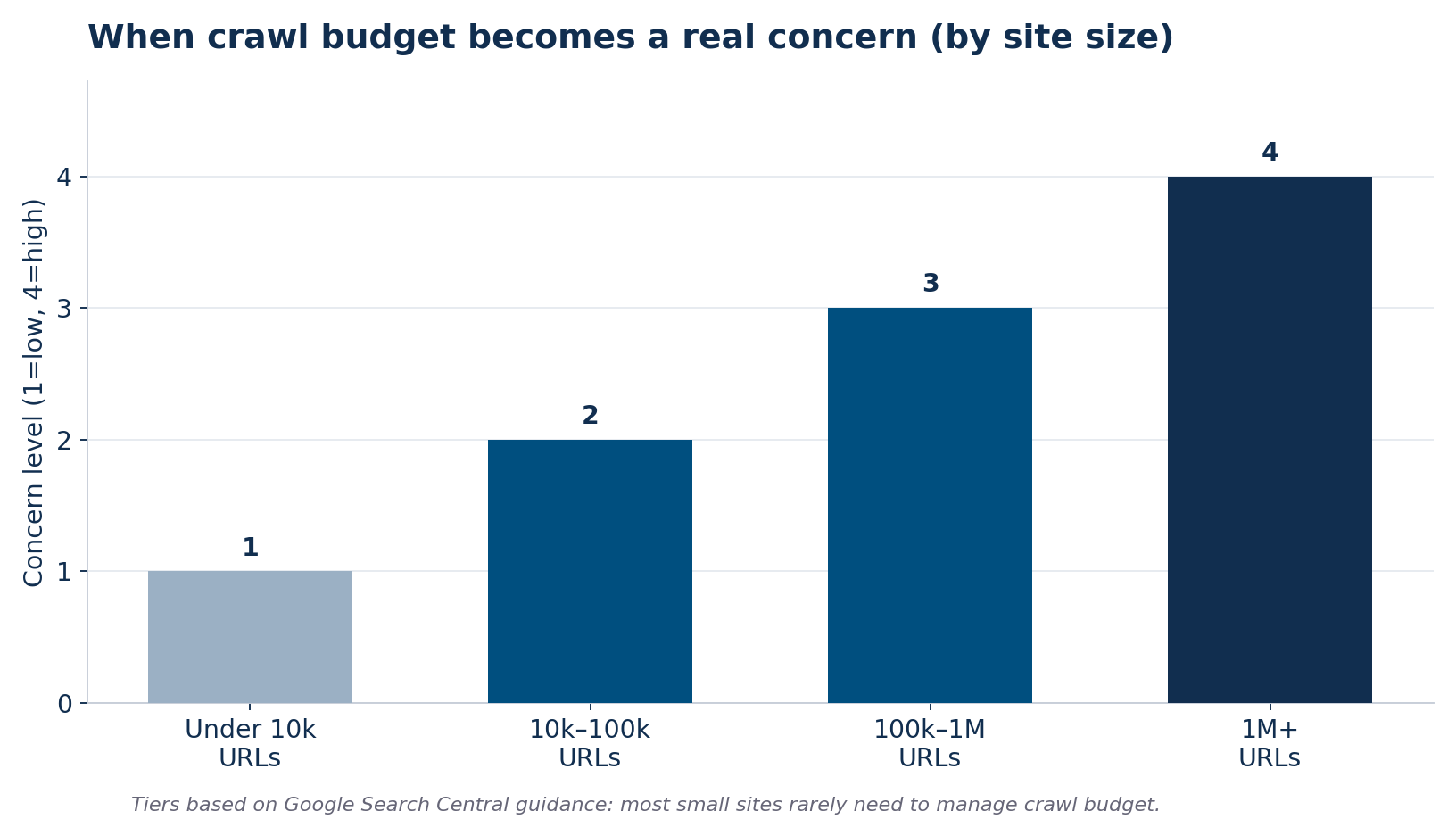
Figure 2: Crawl budget concern rises with site size, based on Google Search Central guidance.
| Site size | Crawl budget concern | What to do |
|---|---|---|
| Under 10,000 URLs | Low | Focus on content and links, not crawl budget |
| 10,000–100,000 URLs | Moderate | Monitor Crawl Stats; fix obvious waste |
| 100,000–1M URLs | High | Actively prune and consolidate URLs |
| 1M+ URLs | Critical | Engineer crawl efficiency into the architecture |
- Crawl budget = crawl rate limit (server capacity) × crawl demand (Google’s interest in your content).
- Most sites under ~10,000 URLs don’t need to manage crawl budget at all.
- On large sites, wasted crawling on duplicates and dead ends is the biggest reason good pages stay unindexed.
Where crawl budget leaks — and how to plug it
When crawl budget is a problem, it’s almost never because Google is being stingy. It’s because the site is spending its allocation on URLs that shouldn’t be crawled at all. These are the leaks I look for first.
- Duplicate URLs from parameters. Faceted navigation and tracking parameters can multiply one page into thousands of near-identical URLs. This is the same duplicate-content trap we tackle in Multi-Location SEO.
- Soft 404s and error pages. Pages that return “200 OK” but show no real content waste crawls and confuse indexing.
- Endless redirect chains. Each hop in a redirect chain costs a crawl; long chains drain budget fast.
- Low-value auto-generated pages. Tag archives, internal search results, and thin filter pages rarely deserve to be crawled.
- Slow server responses. Every slow response lowers your crawl rate limit, so speed is a crawl-budget lever, not just a UX one.
How to make Google crawl your best pages
Improving crawl efficiency isn’t about tricking Google into crawling more — it’s about pointing the crawling you already get at the pages that matter. Consolidate duplicate URLs with canonical tags, block genuinely useless URL patterns in robots.txt, keep your XML sitemap limited to canonical, indexable pages, and fix the redirect chains and errors that quietly eat requests. Strong internal linking also helps: pages you link to prominently get discovered and re-crawled more readily. A full technical pass ties all of this together — our Technical SEO Audit Checklist is the 40-point framework we run to surface these exact issues before they cost rankings.
How to check your crawl budget in Google Search Console
You don’t need expensive tools to diagnose a crawl problem — Google gives you the data for free. The Crawl Stats report is the fastest way to see how Googlebot is actually spending its time on your site, and reading it takes only a few minutes once you know what to look for.
Open Google Search Console, go to Settings, and open the Crawl Stats report. Start with the total crawl requests over time: sudden drops can signal server problems, while flat or declining trends on a growing site can indicate falling crawl demand. Next, look at the average response time — consistently slow responses drag down your crawl rate limit, so this doubles as a speed check. Then examine the breakdown by response code and by purpose. If a large share of requests return errors, redirects, or hit non-indexable URLs, that’s budget being wasted. Finally, check the “by file type” and “by Googlebot type” views to confirm Google is prioritizing your HTML pages rather than getting lost in scripts, images, or parameter noise. Pair this with the URL Inspection tool to see when Google last crawled a specific important page — if a key page hasn’t been crawled in a long time, you have concrete evidence of a prioritization issue.
None of this requires guessing. The report tells you plainly whether Google is crawling enough and whether it’s crawling the right things, which is exactly the information you need before deciding whether crawl budget is worth your attention at all.
Crawling is not the same as indexing
One distinction trips up a lot of business owners: getting crawled and getting indexed are two separate steps. Crawling is Googlebot fetching your page. Indexing is Google deciding to store and potentially rank it. A page can be crawled and then not indexed — usually because Google judged it thin, duplicative, or low-value. So if your pages are being crawled but still don’t appear in search, crawl budget probably isn’t your problem; content quality or duplication is. Conversely, if pages aren’t being crawled at all, then discovery, internal linking, and crawl efficiency are the levers to pull. Knowing which of the two is failing saves you from fixing the wrong thing — and it’s the first diagnosis I make when a client’s pages won’t show up.
Frequently Asked Questions
What is crawl budget in simple terms?
Crawl budget is the number of pages Google is willing and able to crawl on your website in a given period. It’s determined by how fast your server can respond and how much Google wants to crawl your content. If your budget is spent on low-value pages, your important pages may go uncrawled.
How do I know if I have a crawl budget problem?
Check the Crawl Stats report in Google Search Console. Warning signs include Googlebot spending most requests on non-indexable or duplicate URLs, slow average response times, and important new pages taking weeks to get indexed. Small sites rarely see these problems.
Does crawl budget affect rankings directly?
Not directly. Crawl budget affects whether a page gets crawled and indexed in the first place. A page Google never crawls can’t rank at all, so crawl efficiency is a prerequisite for ranking rather than a ranking factor itself.
Do small business websites need to worry about crawl budget?
Usually not. Google has stated that sites with up to a few thousand URLs are generally crawled efficiently without special management. Small businesses should focus on content quality, site speed, and internal linking rather than crawl budget optimization.
How can I improve my crawl budget?
Reduce wasted crawling: consolidate duplicate URLs with canonical tags, block useless URL patterns in robots.txt, keep your XML sitemap clean, fix redirect chains and soft 404s, and improve server response time. Strong internal linking helps Google prioritize your most valuable pages.
MEAN Consultors runs technical SEO audits that find and fix the crawl and indexing issues keeping your pages out of Google.