
Writing a Software Requirements Document Non-Technical Founders Can Use
Last updated: July 23, 2026 · By Joseph Olivas, Founder, MEAN Consultors · 8 min read
Almost every over-budget software project I am asked to rescue has the same root cause: nobody wrote down clearly what the software was supposed to do. A software requirements document fixes that, and contrary to what founders fear, you do not need to be technical to write a good one. Here is a practical template you can fill in this week.
What a software requirements document is
A software requirements document (SRD, sometimes called an SRS or a product requirements document) is a plain-language description of what a piece of software must do, who it is for, and how you will know it is finished. It is not code, and it does not require you to be technical to write. Think of it as the brief a builder needs before pouring a foundation: the clearer it is, the less expensive and stressful everything downstream becomes. When founders come to our software development team with a tight SRD, we can quote accurately and start fast; when they come with a vague idea, the first thing we do is help them write one.
The reason this document matters so much is economic. Industry research going back decades — including the Standish Group’s long-running CHAOS studies — consistently identifies incomplete or shifting requirements as one of the leading causes of software projects running late, over budget, or failing outright. An SRD is the cheapest insurance you can buy against that outcome.
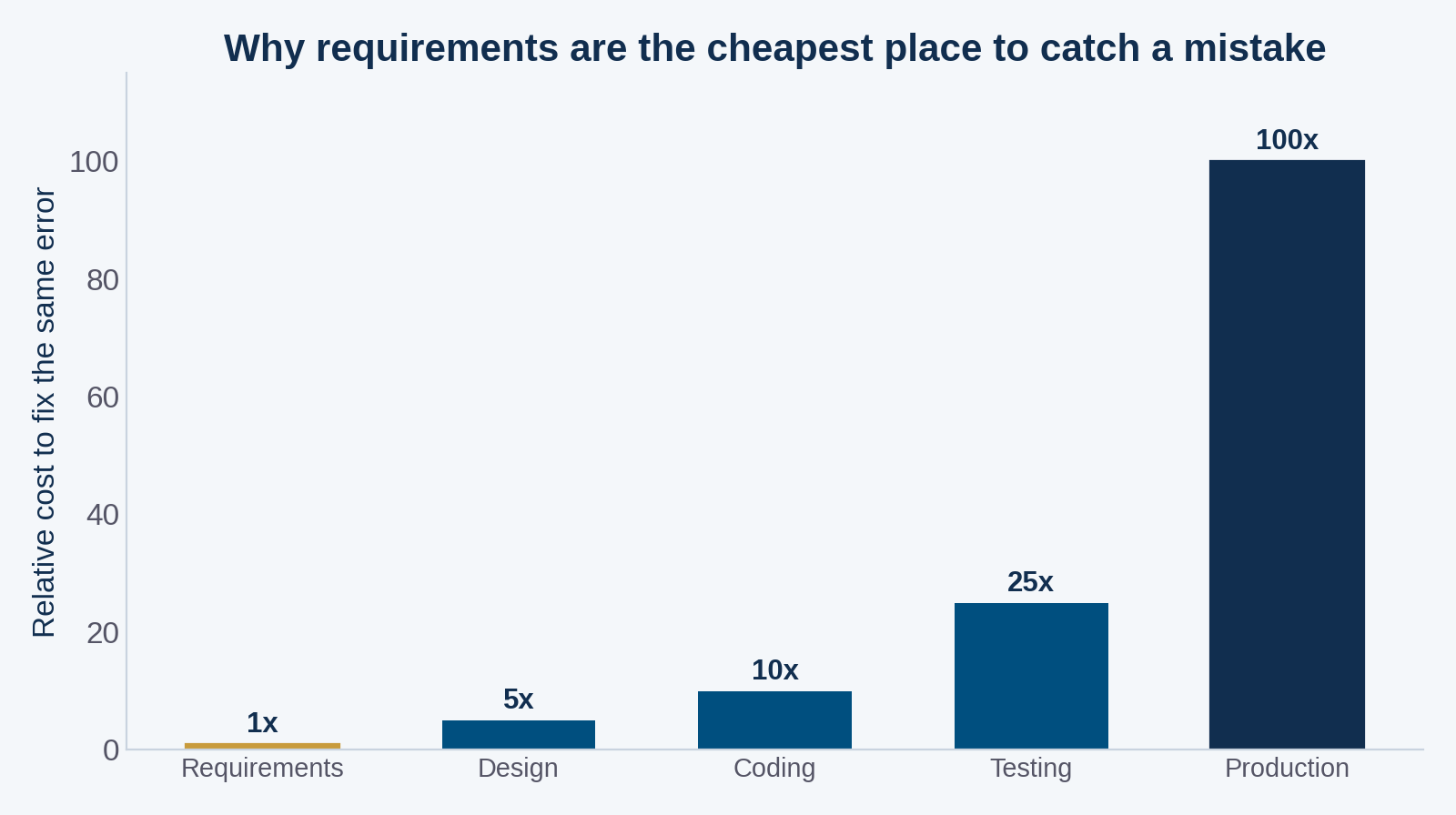
Figure 1: Widely cited software-engineering research shows the cost of fixing an error climbs sharply the later it is caught — which is why the requirements stage is where clarity pays off most.
Why non-technical founders should write it themselves
There is a tempting shortcut: hand a developer a rough description and let them “figure out the details.” I understand the instinct, but it reliably backfires. The developer will fill every ambiguity with an assumption, and their assumptions are optimized for what is easy to build, not for what your business actually needs. The gaps do not disappear; they simply surface later as change requests, and as Figure 1 shows, changes get dramatically more expensive the later they arrive. Writing the SRD yourself — in your own words, about your own business — front-loads those decisions to the cheapest possible moment.
- Requirements clarity is not a technical skill — it is a business skill, and you are the best-qualified person on the team to provide it.
- An error caught at the requirements stage can cost on the order of 1x to fix; the same error caught in production can cost roughly 100x, according to classic software-engineering studies.
- Every ambiguity you leave in the document becomes a developer’s assumption — and a future change request.
The seven sections every SRD needs
You do not need a 50-page specification. A focused document covering these seven areas is enough to get an accurate quote and a clean build. Here is what belongs in each.
| Section | What to include | Example |
|---|---|---|
| Overview & problem | One paragraph on what the software is and the problem it solves | “A booking portal to replace our phone-and-spreadsheet scheduling.” |
| Goals & metrics | What success looks like, in measurable terms | “Cut no-shows by 30%; save 10 admin hours a week.” |
| Users & roles | Who uses it and what each role can do | Admin, staff, customer — with permissions for each. |
| Functional requirements | What the system must do, as user stories | “A customer can reschedule up to 24 hours before.” |
| Non-functional | Speed, security, uptime, devices, compliance | “Loads under 2s on mobile; HIPAA-aware data handling.” |
| Out of scope | What you are explicitly not building now | “No native mobile app in phase one.” |
| Acceptance criteria | How you will confirm it is done | “All user stories pass on staging with real data.” |
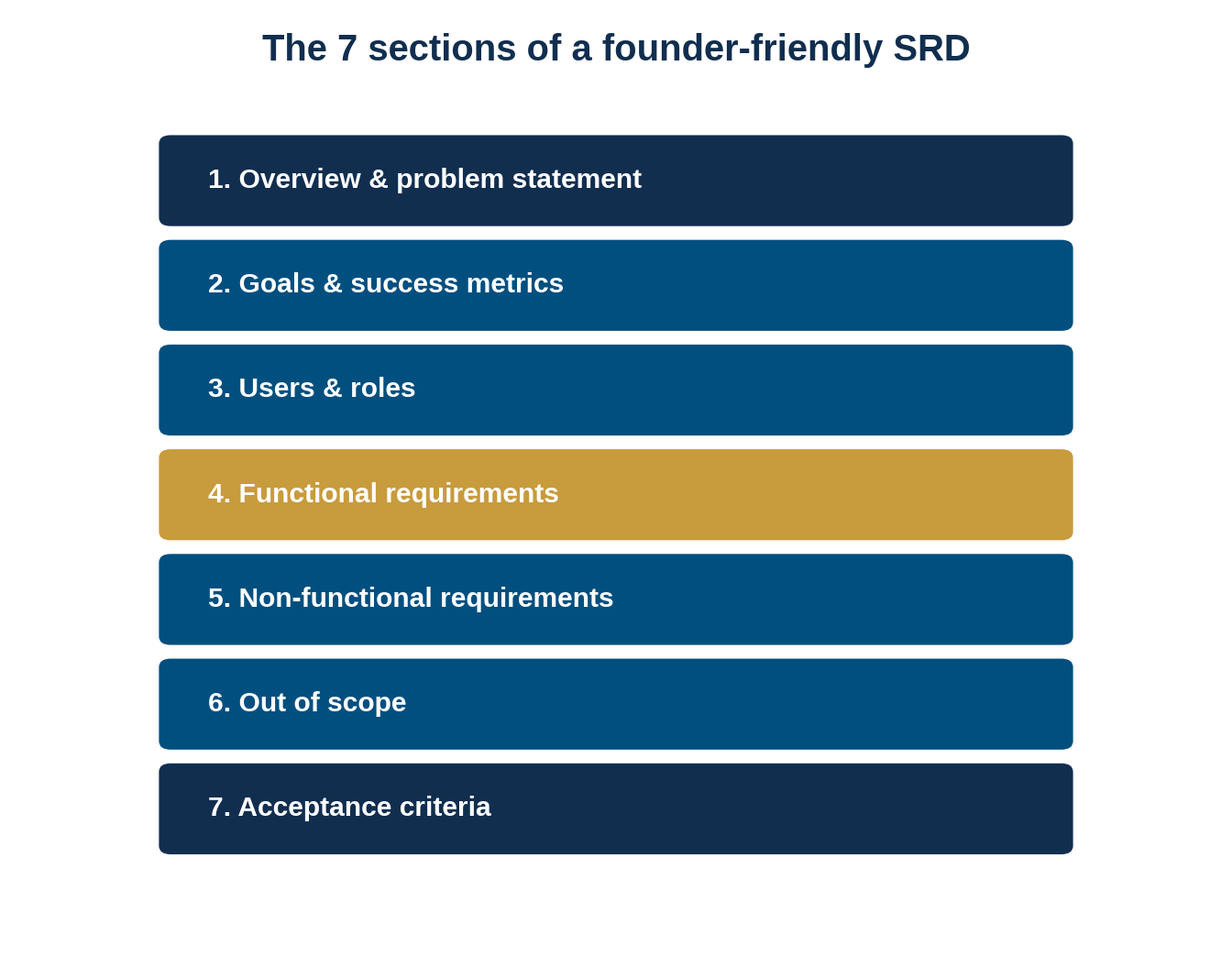
Figure 2: A founder-friendly SRD needs only these seven sections to be genuinely useful to a development team.
Writing functional requirements as user stories
The heart of your SRD is the functional requirements, and the format that non-technical founders write most clearly is the user story: “As a [role], I want to [action], so that [outcome].” This tiny structure forces you to name who wants something, what they want, and why — which is exactly the context a developer needs to build the right thing. Group your stories by user role, keep each one to a single capability, and resist the urge to describe the interface. Your job is to specify the what and the why; a good development partner will handle the how.
A practical tip: write your stories at a consistent level of detail. It is fine for a first draft to say “As a customer, I want to pay online” without specifying the processor, but do not mix that with hyper-specific stories elsewhere, or your quote will be lopsided. Where a requirement genuinely depends on a decision you have not made yet, mark it as an open question rather than guessing. A clearly-flagged unknown is something a developer can price and plan around; a silent assumption is not. This small habit — being honest about what you have not decided — is what separates an SRD that speeds a project up from one that quietly derails it.
Common mistakes that make an SRD useless
A few habits reliably undermine an otherwise good document. Watch for these.
- Describing the solution instead of the need (“add a blue button” rather than “let users cancel”).
- Leaving success undefined, so no one can agree when the project is finished.
- Omitting non-functional requirements, then being surprised the app is slow or insecure.
- Skipping the out-of-scope section and letting the build sprawl.
- Writing acceptance criteria that cannot actually be tested.
Once your SRD is solid, the next decision is who builds it — and how. That choice interacts with your methodology, which we compare in Agile vs. Waterfall for custom software, and with your delivery model, which we walk through in how software outsourcing actually works. If you are still deciding whether to build custom software at all, our build vs. buy framework is the logical first step before writing any requirements.
Frequently Asked Questions
Do I need to be technical to write a software requirements document?
No. The most valuable parts of an SRD — the problem you are solving, who your users are, what success looks like, and what is out of scope — are business decisions, not technical ones. You describe the what and the why in plain language; your development partner translates that into the how.
What is the difference between an SRD, an SRS, and a PRD?
They overlap heavily. An SRS (software requirements specification) is the formal engineering term, a PRD (product requirements document) is the product-management term, and SRD is used loosely for the same idea. For a non-technical founder the label matters far less than covering the seven core sections clearly and completely.
How long should a software requirements document be?
As long as it needs to be and no longer. For most small and mid-size business projects, a focused document of a few pages covering the seven core sections is enough to get an accurate quote. Padding it with detail you are unsure about is worse than leaving a clearly-marked open question.
What is the most important section of an SRD?
In practice, the out-of-scope section. Naming what you are deliberately not building in this phase is what keeps a first release shippable and a budget under control. Founders rarely struggle to list features; they struggle to draw the line, and that missing line is what causes scope creep.
Should I write requirements before or after getting quotes?
Before. Quoting from a clear SRD produces accurate, comparable estimates, whereas quoting from a vague idea produces guesses that balloon later through change requests. Writing the document first is also the cheapest moment to catch mistakes, since fixing a requirement error later in a project can cost many times more.
MEAN Consultors helps U.S. founders turn a rough concept into a clear, buildable software requirements document — and then builds it.